1. Why Passwords Are Important
Passwords protect your accounts, emails, and company data. Weak passwords make it easy for attackers to access systems.
2. How Hackers Break Passwords
- Guessing common passwords
- Using leaked passwords from other websites
- Trying many combinations automatically
Strong vs Weak Passwords
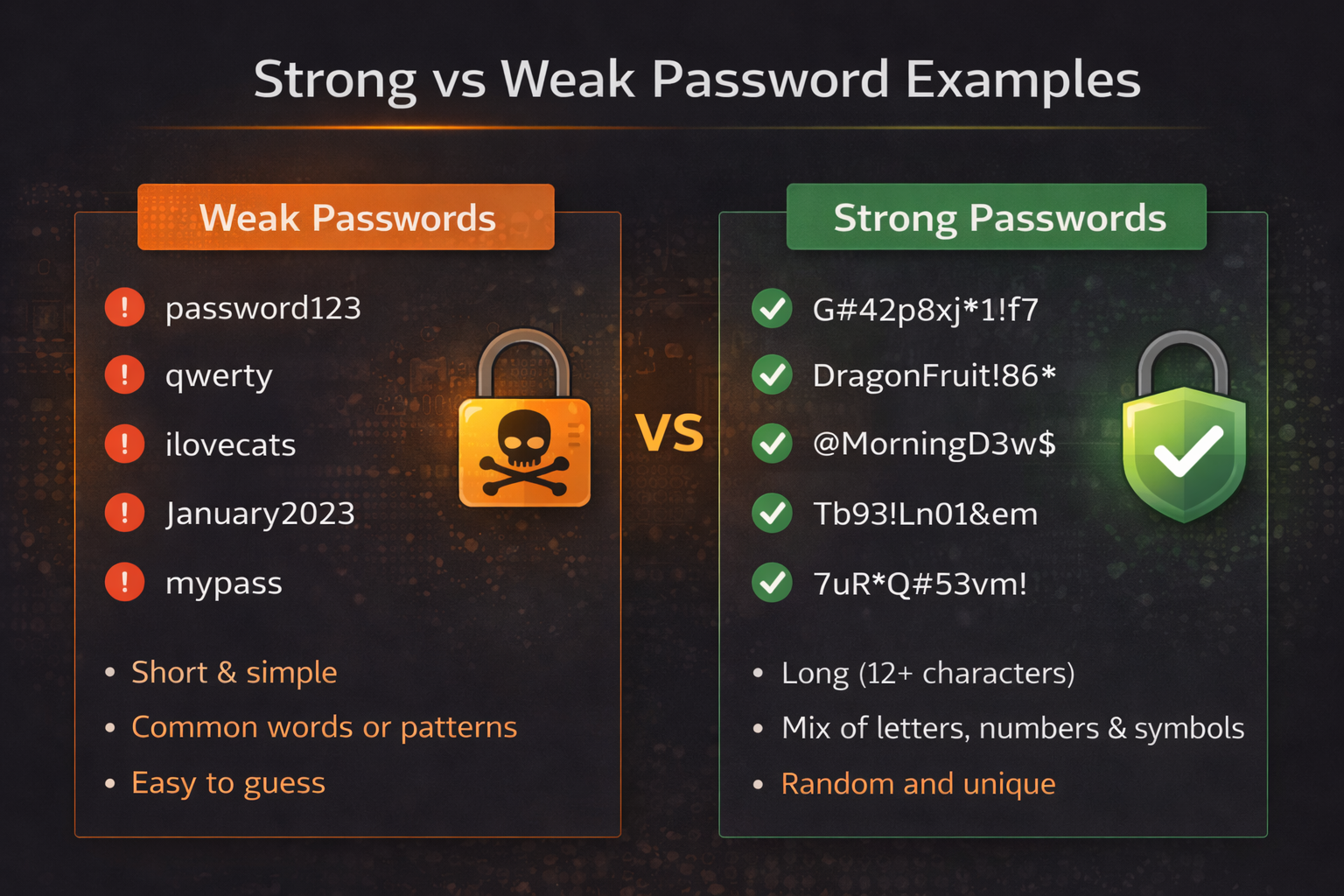
A strong password is long, unique, and unpredictable. The image above shows examples of weak vs strong passwords.
3. How to Create a Strong Password
- Use at least 14 characters
- Mix letters, numbers, and symbols
- Avoid names, birthdays, or simple words
- Use different passwords for different accounts
- You can use online password generators to create strong and random passwords
Quick Strength Checker
Type a password below to see how strong it is:
4. Password Best Practices
- Never share your password with anyone
- Do not reuse work passwords on personal sites
- Change passwords if you suspect compromise
- Enable multi-factor authentication wherever possible
- Password managers help you securely save, generate, and autofill passwords, so you do not need to remember them
Use a Password Manager
A password manager securely saves all your passwords in one place. You only need to remember one strong master password.
They also help generate strong random passwords automatically.
5. Remember
A strong password is one of the easiest and most effective ways to protect yourself and the organization.
Quick Password Check
Which is a stronger password?
Strong passwords protect YOU and the organization â- choose wisely!